Qualify
Lead ownership, value and next action
New from TechDino · The AI-powered operating system for the whole company
Dino Business OS is AI-powered business operations software from TechDino. It connects sales, purchasing, inventory, projects, people, service, assets, documents and finance in one accountable workspace, with a multi-agent AI assistant that answers from each user's permitted records.
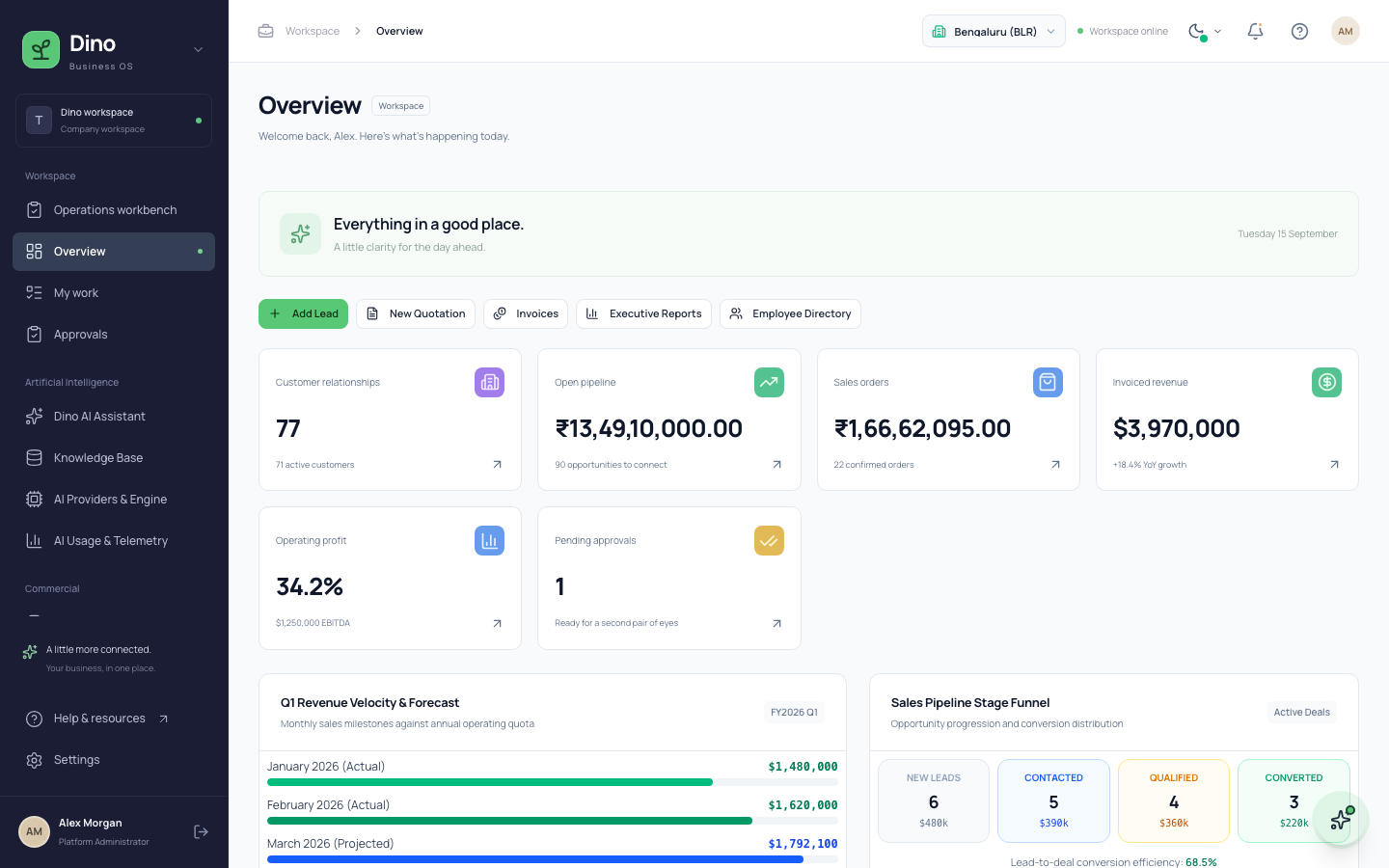
Designed around the record journey
Dino Business OS treats workflows as one continuous business story. Teams see their own work while leadership keeps the complete operational and financial picture.
Lead ownership, value and next action
Reviewed quotation and approval state
Stock, delivery and goods movement
Invoice, receipt and balanced posting
Live operating and finance reports
Complete operating coverage
Move from lead capture to customer records, quotations, sales orders, deliveries and tax invoices without re-entering the same commercial data.
Connect purchase requests, approvals, supplier orders, goods receipts, branch stock and valuation so purchasing decisions carry operational context.
Run the employee directory, reporting structure, attendance, leave and monthly payroll from one governed identity and permission model.
Track project delivery, timesheets, fixed assets, maintenance, installed customer machinery, service incidents and annual contracts together.
Turn approved operating events into balanced journals and decision-ready reports with traceable source records rather than detached spreadsheets.
Keep controlled files, revisions, approvals and audit events beside a LangGraph AI assistant that answers from the records each user is allowed to see.
The working product
Every list opens into dedicated detail pages with history, related records, permissions and next actions.
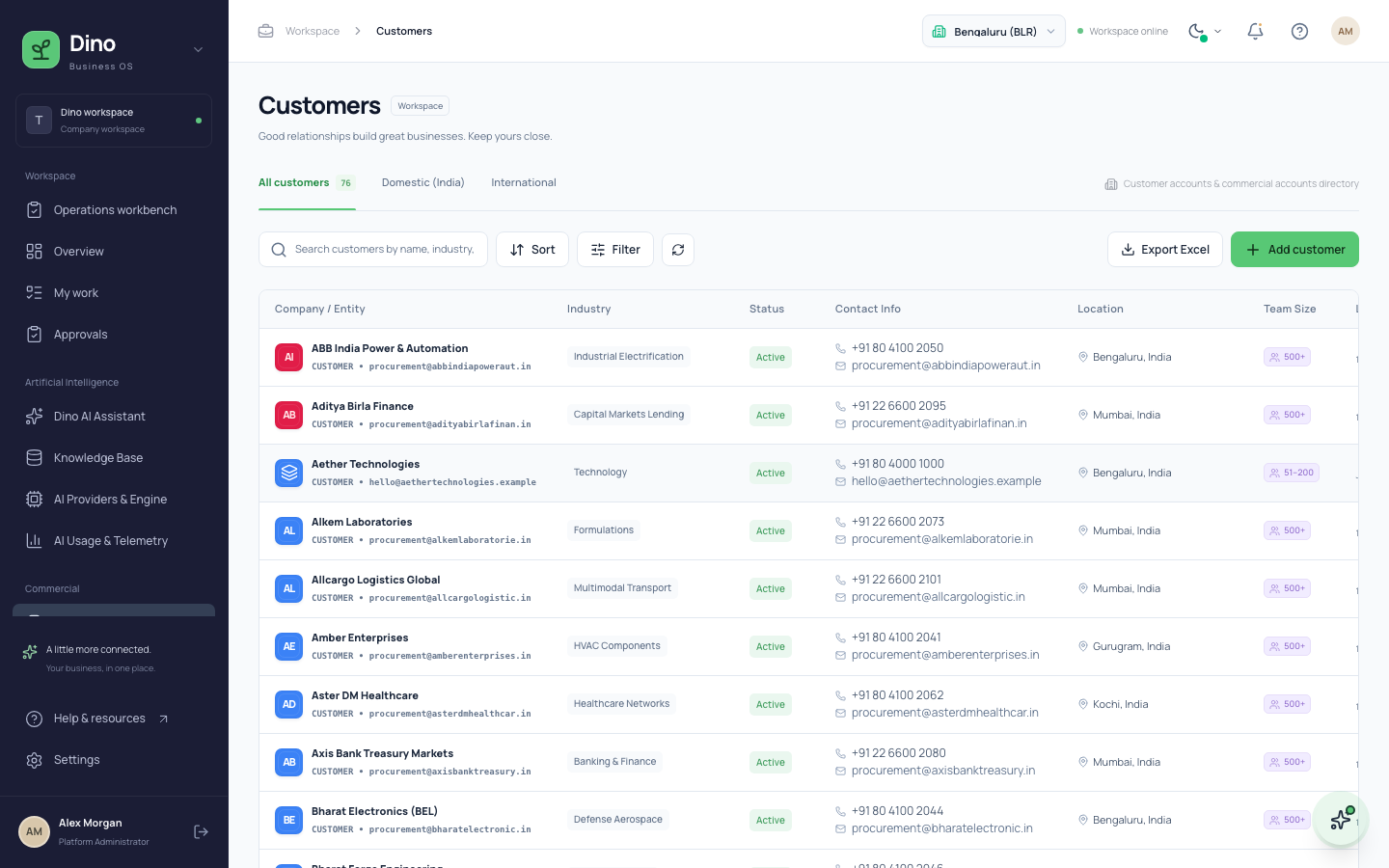
Customer and supplier records connect contacts, opportunities, documents, transactions and service history across branches.
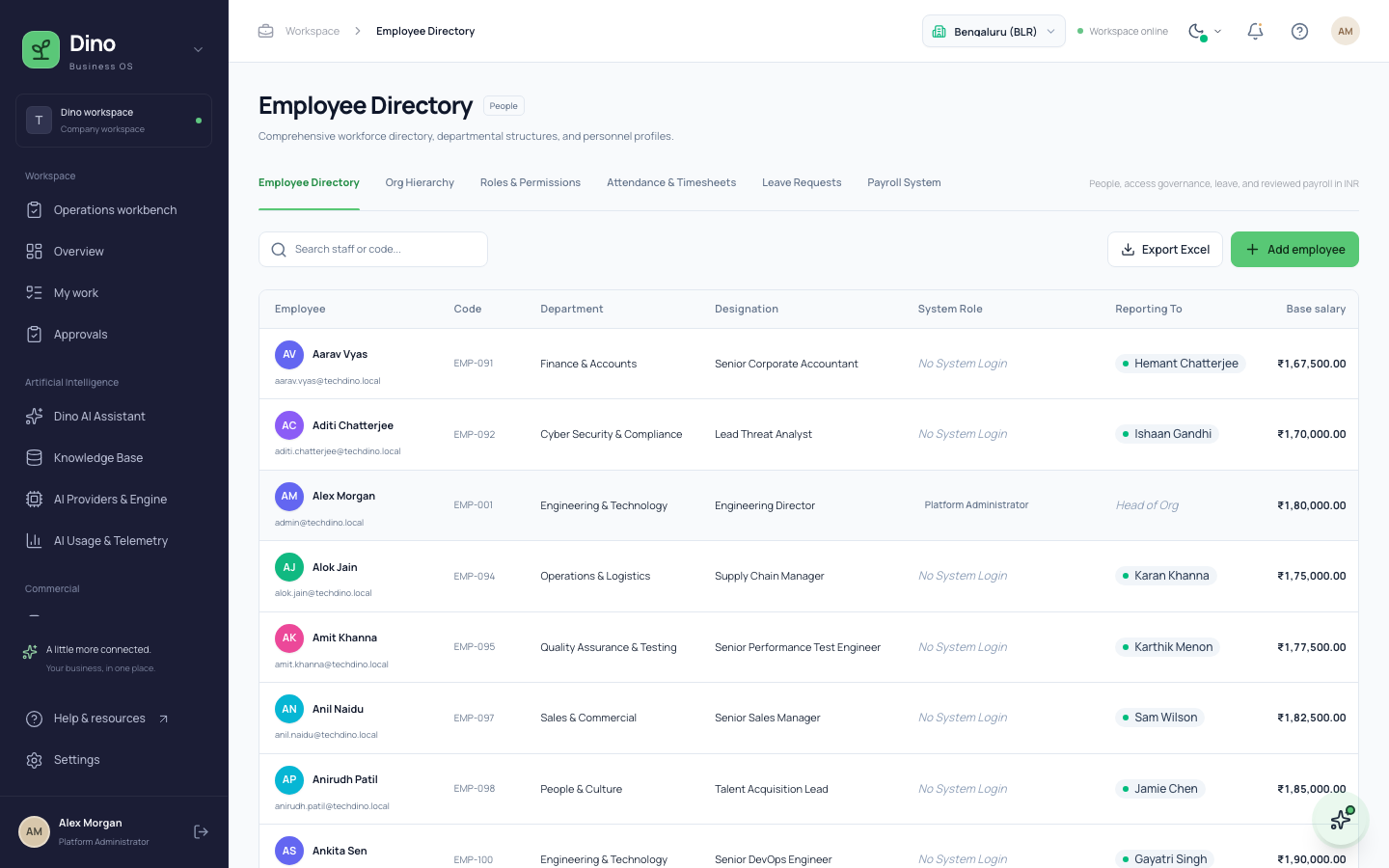
Give HR and managers a shared view of employees, reporting lines, permissions, attendance, leave and compensation.
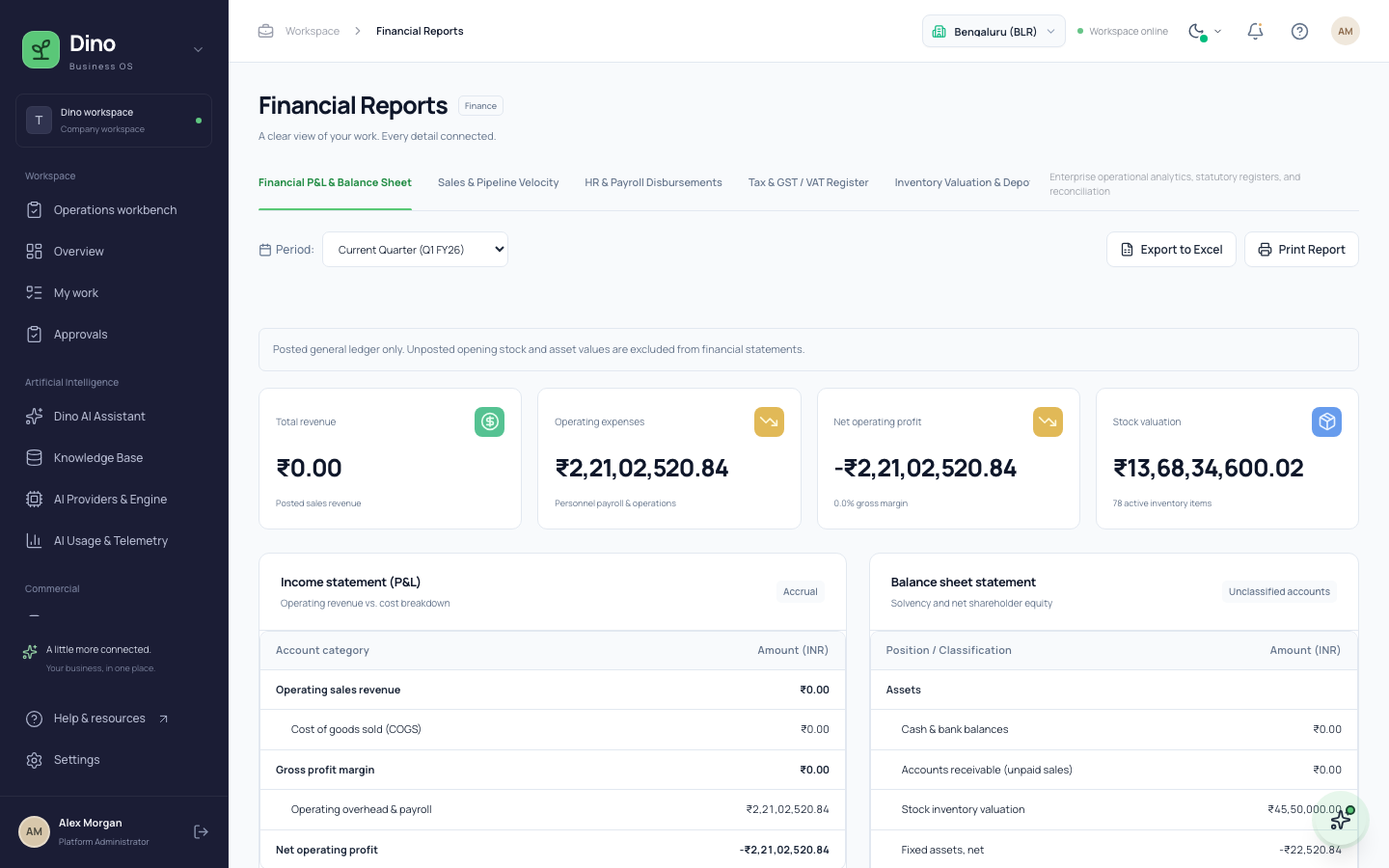
Trace financial outcomes to invoices, payroll, inventory, assets and approved business events.
Dino AI Assistant
Ask "How many approved purchase orders do we have?" or "What is our leave policy?". The Dino AI Assistant routes the question to the right agents, retrieves live records within your permissions, and replies with the sources it used.
A supervisor model delegates each question to specialist CRM, procurement, finance, HR, operations and knowledge agents, running them in parallel.
Every agent queries records with the signed-in user's role, module permissions and branches. Restricted records never reach the language model.
Policies and SOPs are embedded into Qdrant vectors, optionally reranked, and cited by document when the assistant answers.
Answers list their source records and agent steps. The assistant never creates or changes business records; workflows keep their approvals.
Dino Business OS is a working modular application with production builds, database migrations, seeded demonstrations and automated coverage—not a static prototype.
Health-checked web, API, worker, MySQL and vector services run through a reproducible Docker deployment.
CSRF protection, scoped permissions, revision locking, audit events and private document storage protect critical workflows.
Modular domains, typed contracts and API boundaries support new workflows, integrations and company-specific configuration.
Questions buyers ask · Last updated 15 September 2026
Dino Business OS is AI-powered business operations software from TechDino. It connects CRM, sales, procurement, inventory, projects, HR, payroll, service, assets, documents and finance in one permission-controlled workspace with a built-in AI assistant.
The Dino AI Assistant uses a LangGraph supervisor that delegates each question to specialist agents for CRM, procurement, finance, HR, operations and the knowledge base. The agents query live records, and the supervisor writes a cited answer.
No. Each specialist agent runs permission-scoped queries using the signed-in user's role, module permissions and assigned branches. Access control is enforced in application code, not by the language model, so restricted records never reach the AI.
Yes. Dino Business OS orchestrates its assistant with LangGraph and LangChain. A supervisor node calls specialist agents as tools in parallel, runs up to three delegation rounds, and streams the final answer token by token.
Administrators connect OpenRouter, OpenAI or another approved OpenAI-compatible HTTPS endpoint. They choose chat, embedding, reranking, speech and transcription models, plus backup chat models that are tried automatically when the primary model fails.
Knowledge-base documents are chunked, embedded with the selected embedding model and stored in Qdrant for semantic search. Optional reranking reorders results, and keyword database search takes over automatically when the vector service is unavailable.
No. The Dino AI Assistant is read-only for business data. It retrieves and summarizes records, while quotations, orders, invoices, payroll and approvals still move through workflow screens with maker-checker controls and audit history.
Yes. Each answer lists cited source records such as leads, invoices, employees or policy documents. The chat also shows which agents ran, what they matched and which permission restrictions blocked a module.
Provider API keys are encrypted with AES-256-GCM before storage and are never displayed after saving. Keys are only sent to deployment-approved HTTPS origins with redirects disabled, which prevents credentials from leaking to other hosts.
Yes. The chat Voice button records audio and converts it to text with the configured transcription model. Administrators can also test the selected text-to-speech model directly from the AI provider settings page.
Dino Business OS records every AI call with its model, token counts and provider-reported cost. For OpenRouter connections, the settings page also shows the live account balance and the daily free-model request allowance.
Dino Business OS runs on a client-controlled VPS or cloud server with Docker. The stack includes a Next.js web app, an Express API, a background worker, a MySQL 8.4 database and a Qdrant vector database.
Dino Business OS suits distribution and trading companies, professional services firms, field service operations and growing multi-branch teams in India and global markets that need connected sales, stock, delivery and finance records.
Yes. Finance flows are India-first, with INR payroll runs, tax invoices, receipts, supplier payments and balanced journal postings. Automated GST filing and statutory payroll calculation are not yet included and need reviewed inputs.
Contact TechDino on WhatsApp or call +91 70936 08698. The team walks through one of your real workflows in the product, then scopes configuration, integrations, deployment and the launch plan.
New from TechDino · See the complete operating system